Keepa row in. Supplier lead out.Reverse sourcing as a system — for OA sellers, new or seasoned.
See exactly what changes when QikSource is running.
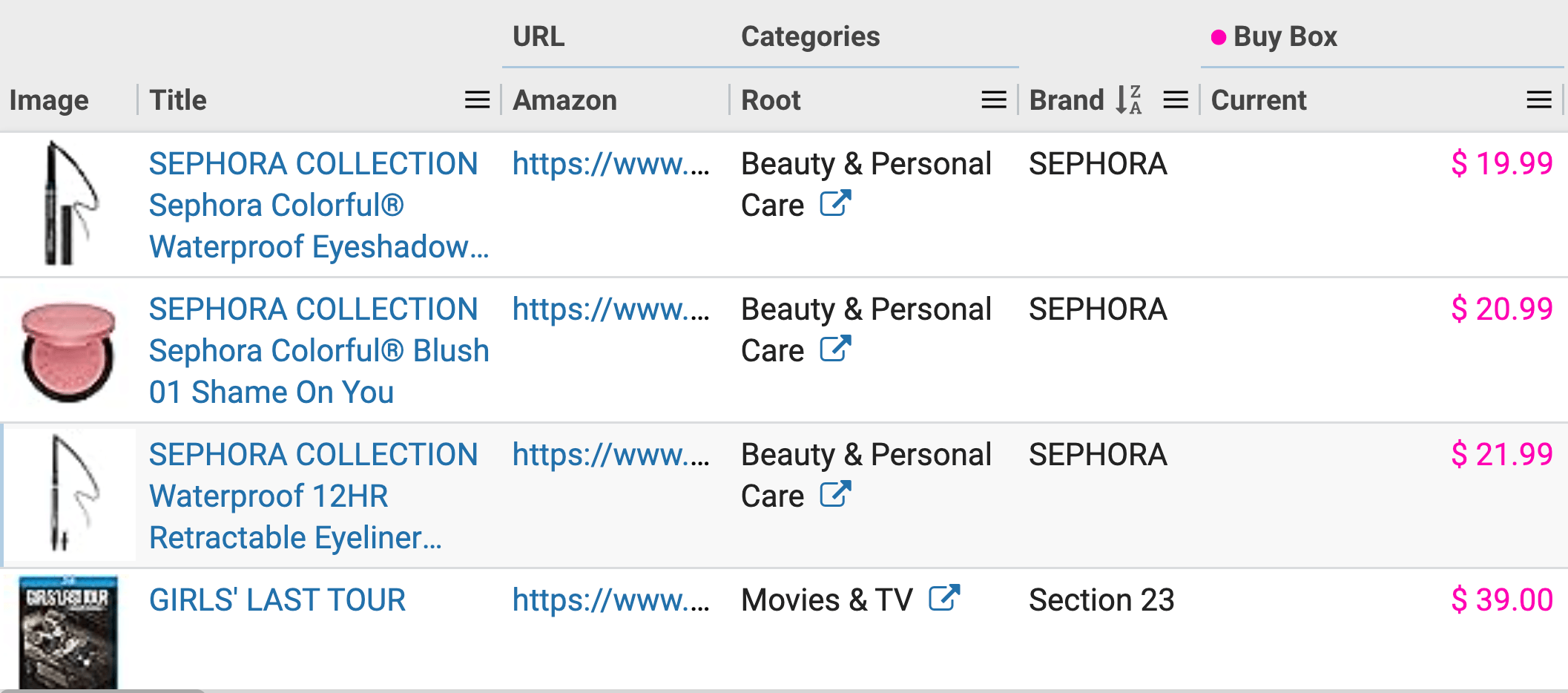
Raw Keepa data. No idea what you can sell, what's restricted, or what's profitable.
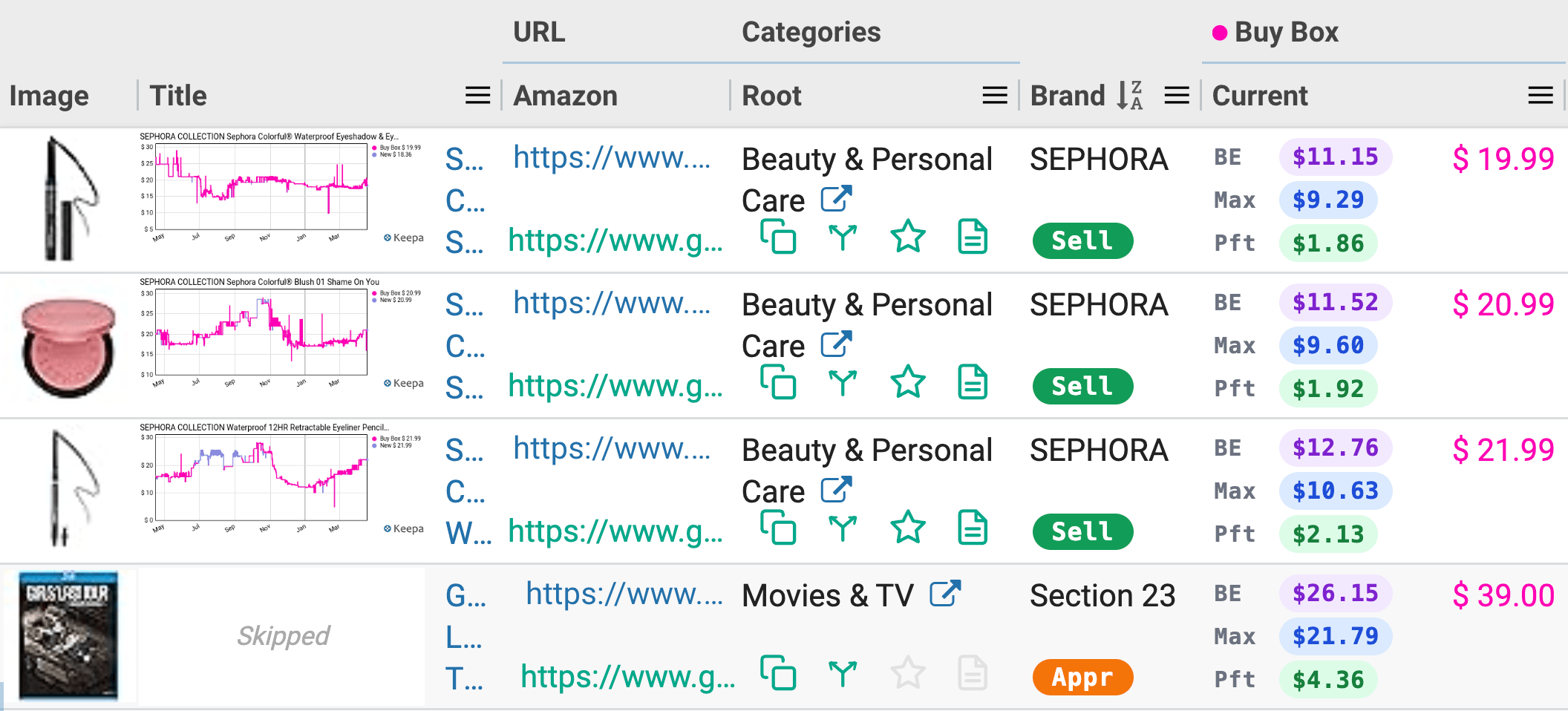
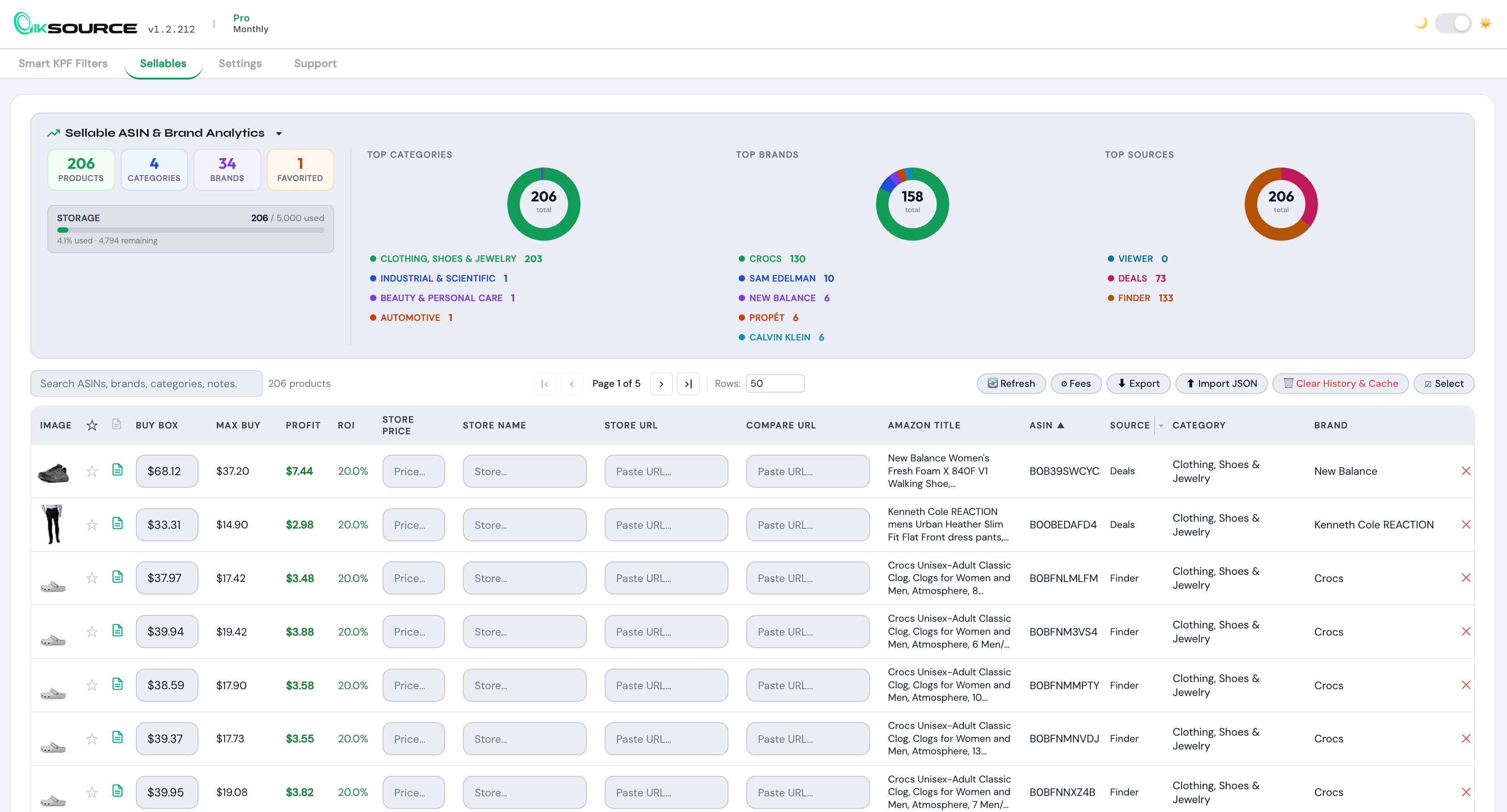
Eligibility pills, profit numbers, and filters — injected right where you need them.
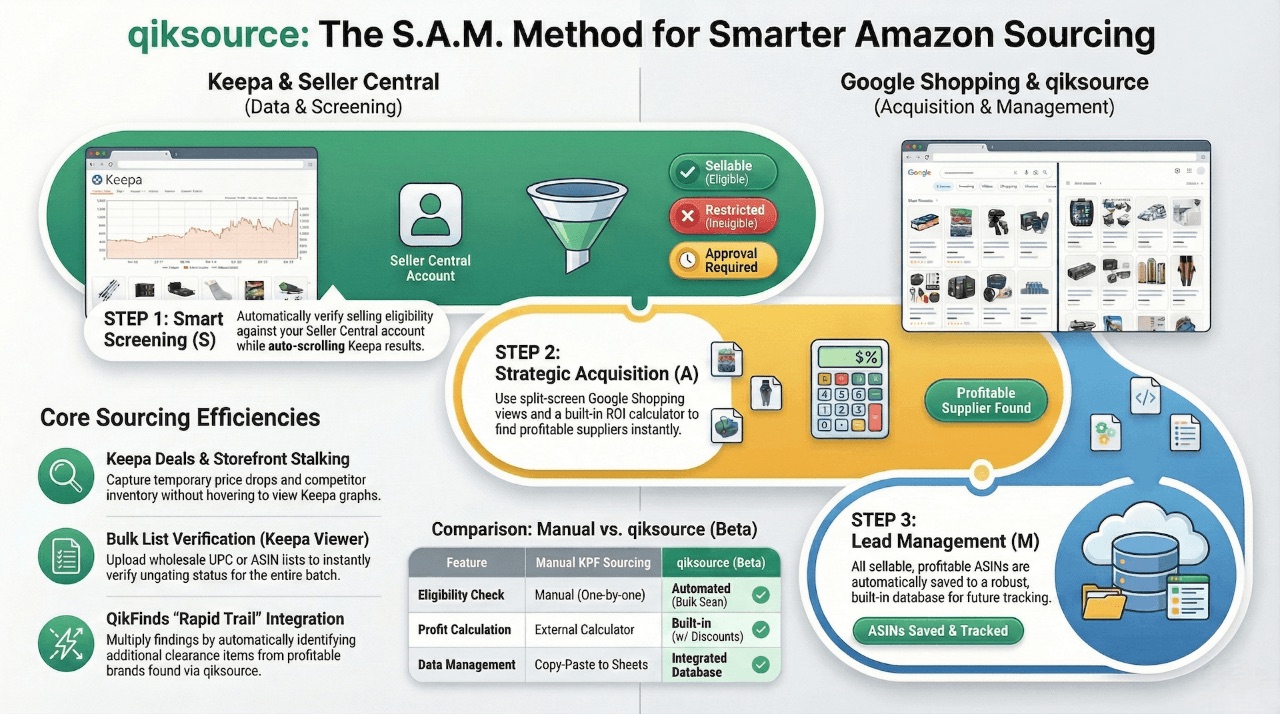
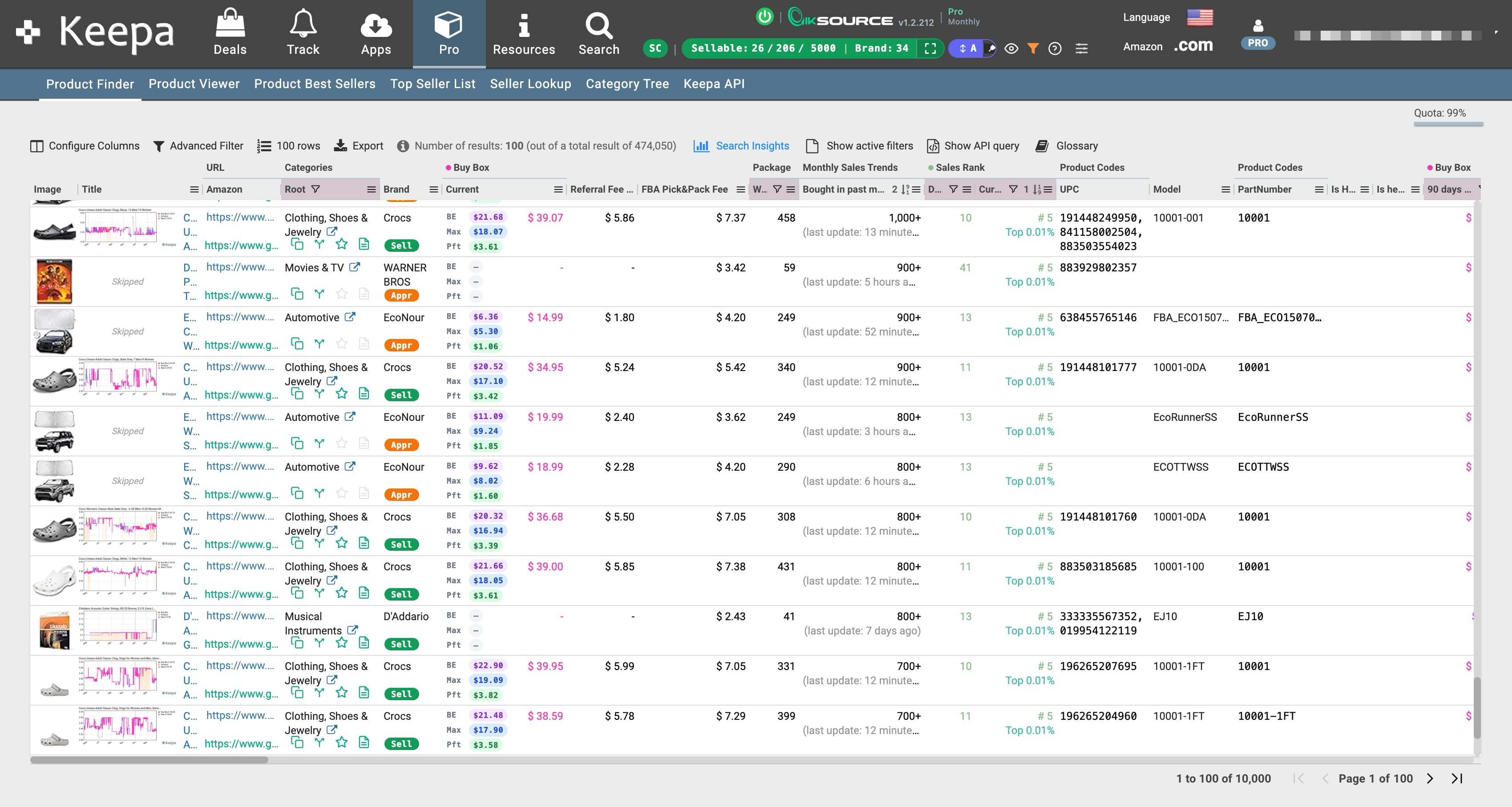
Keepa has 60M+ products. QikSource shows you only the ones you can actually profit from.
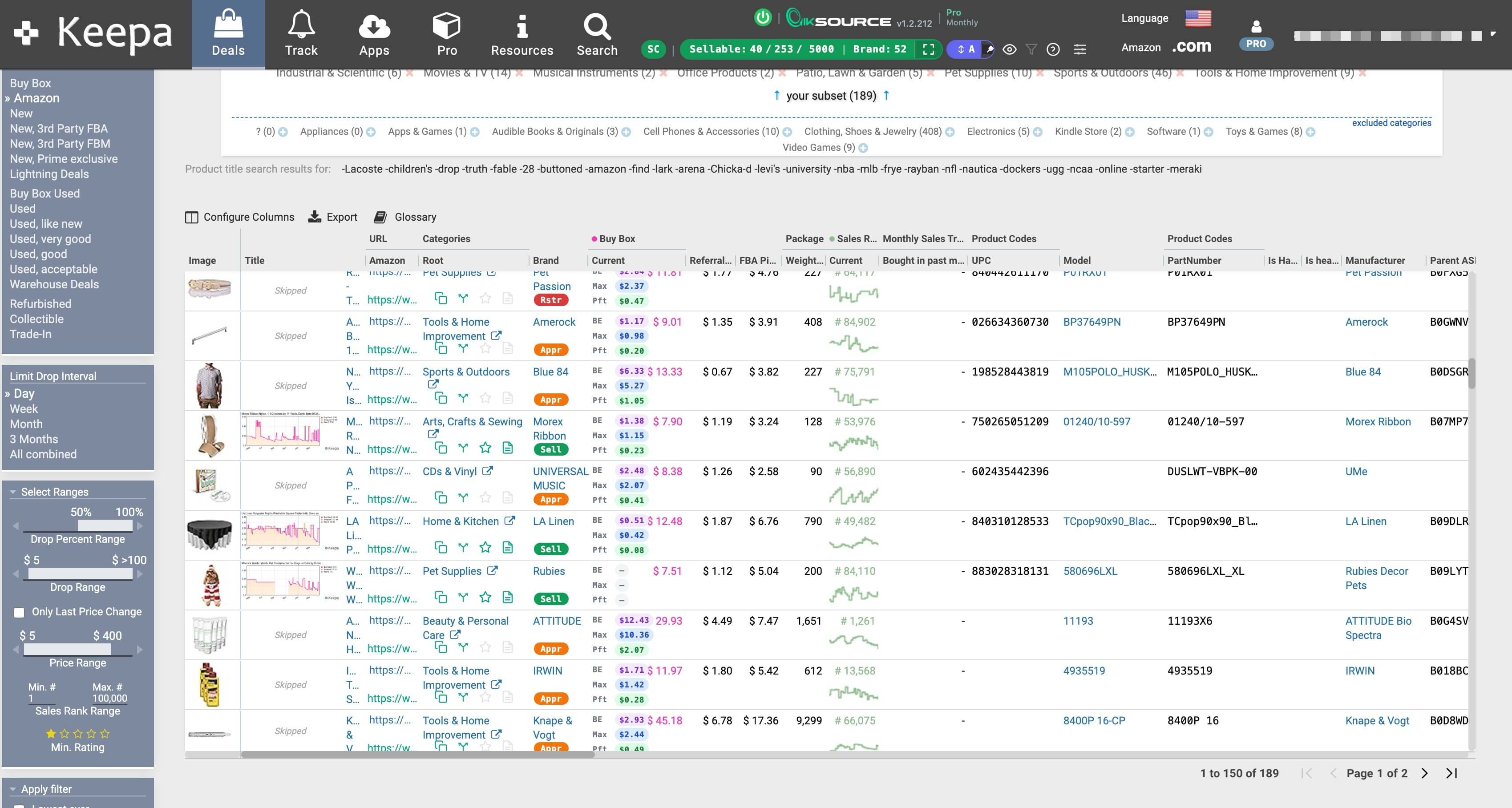
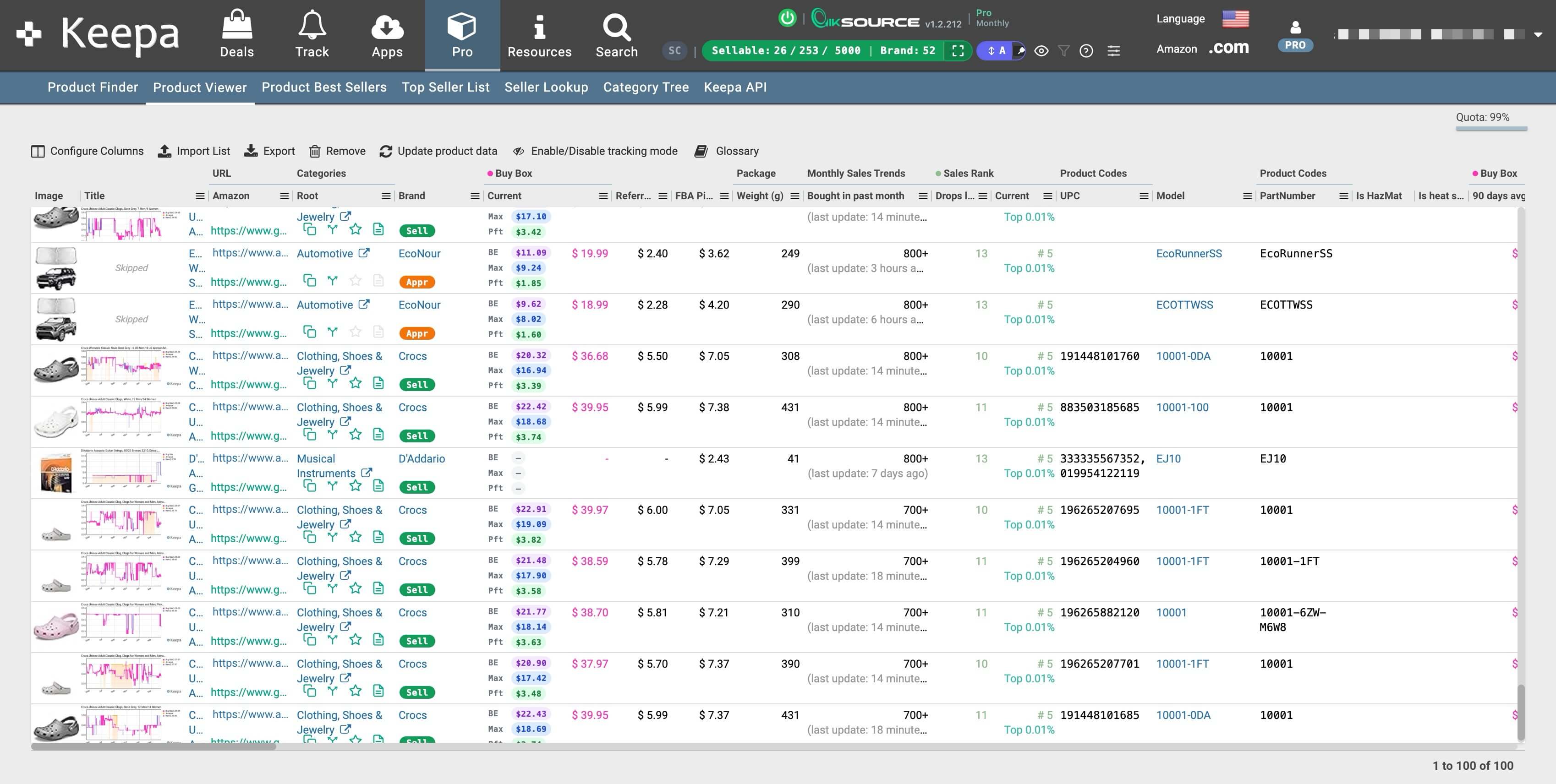
One workflow. Three entry points. Pick whichever matches how you already work.
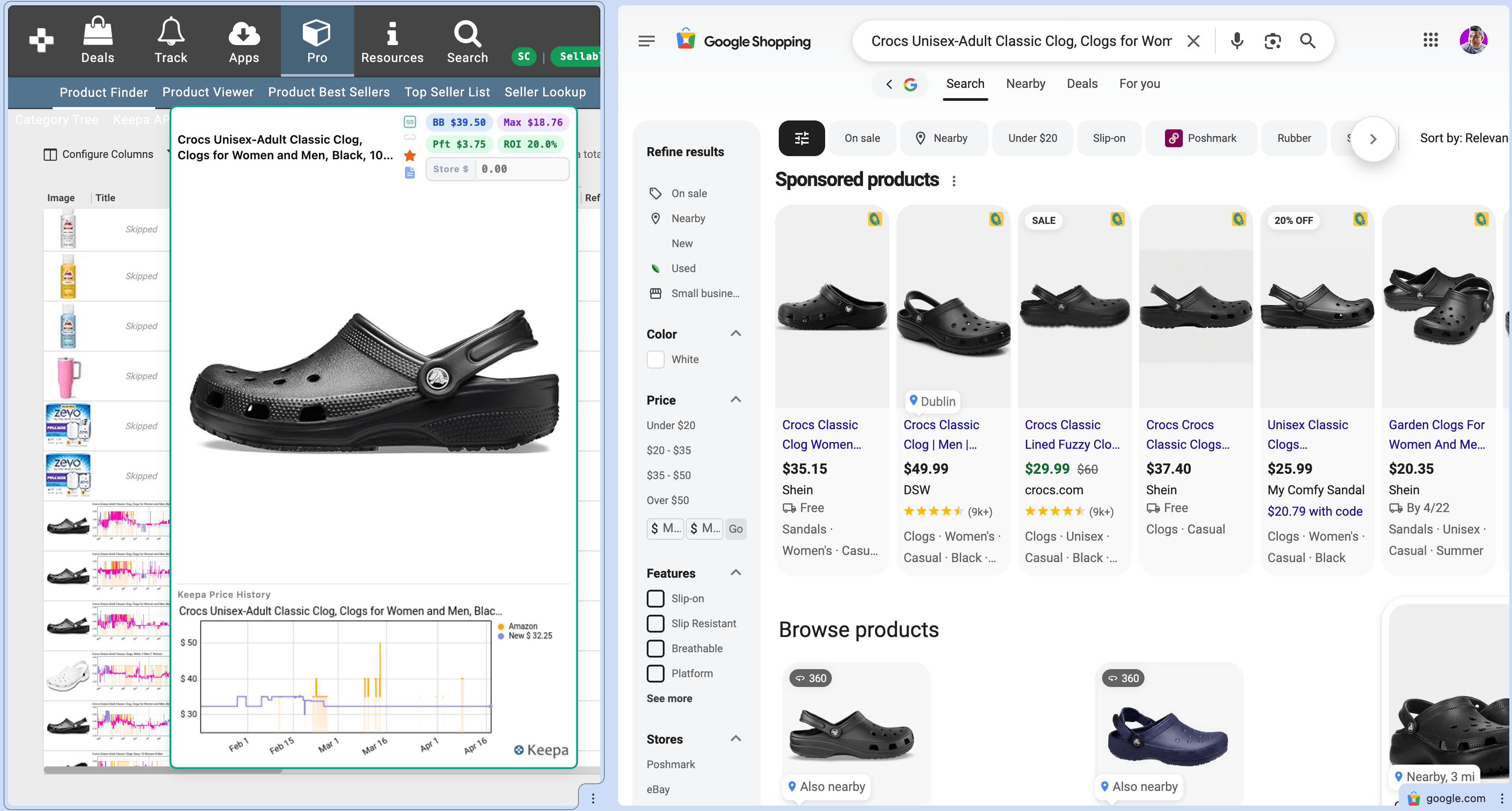
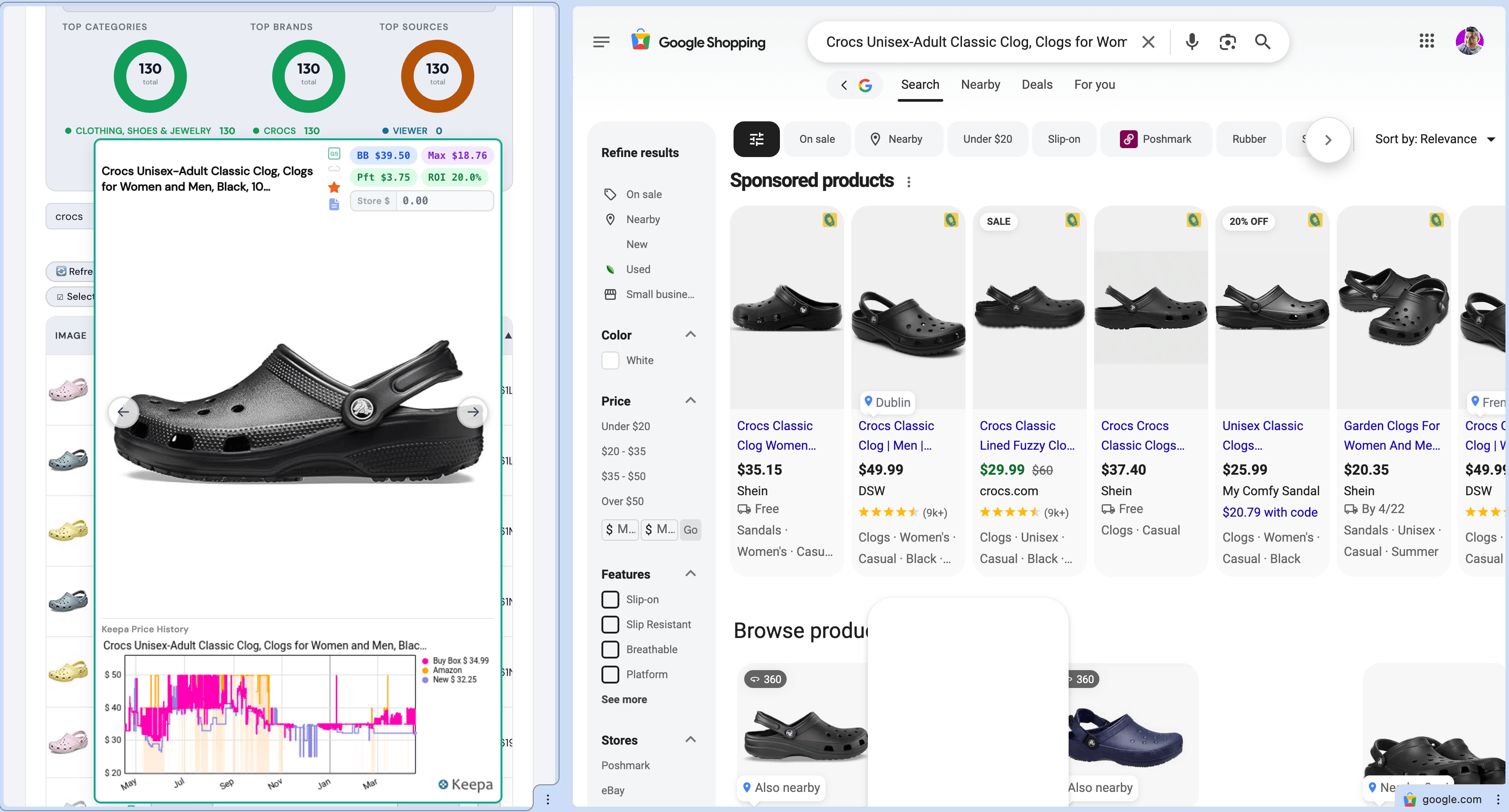
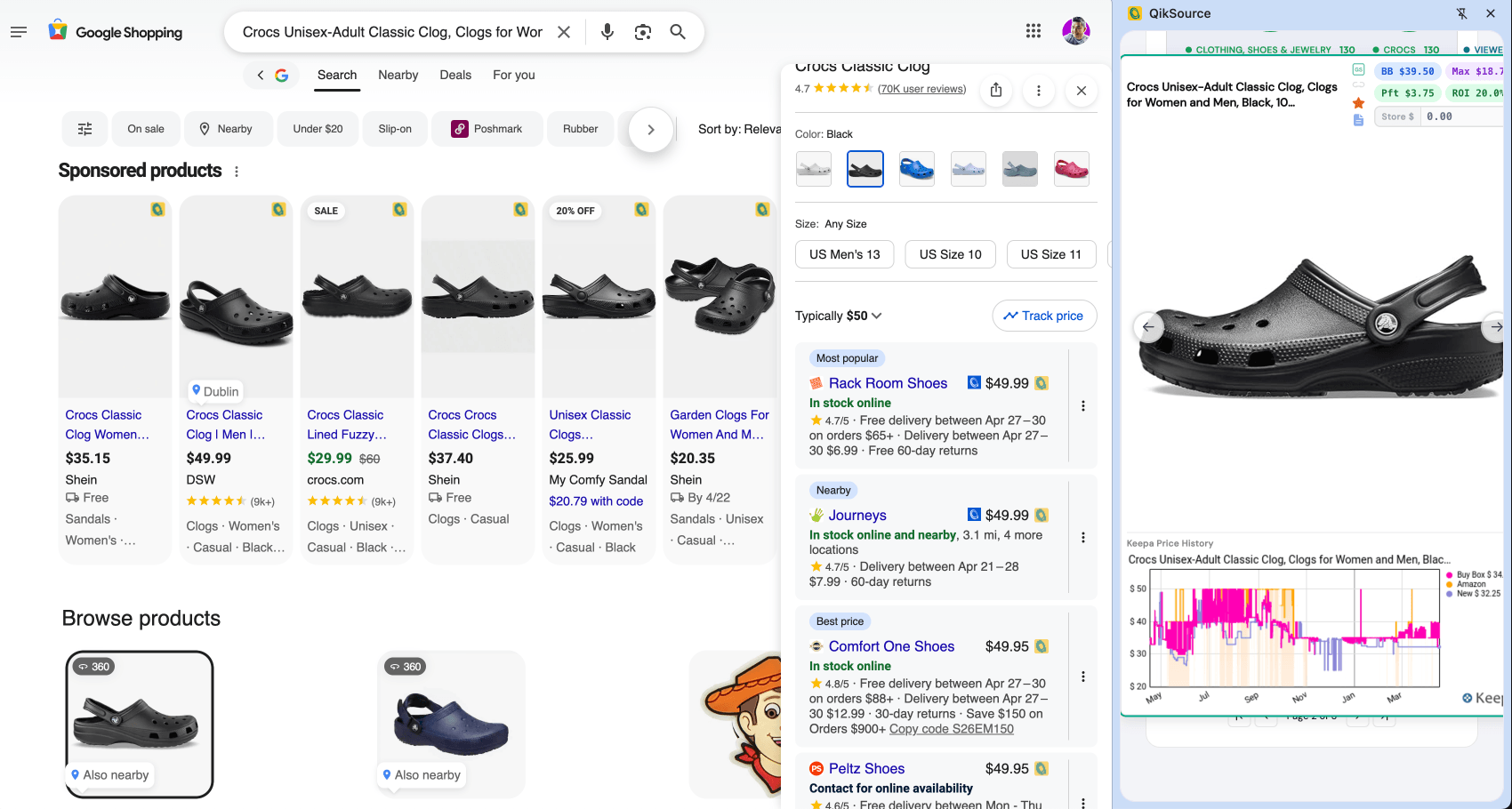
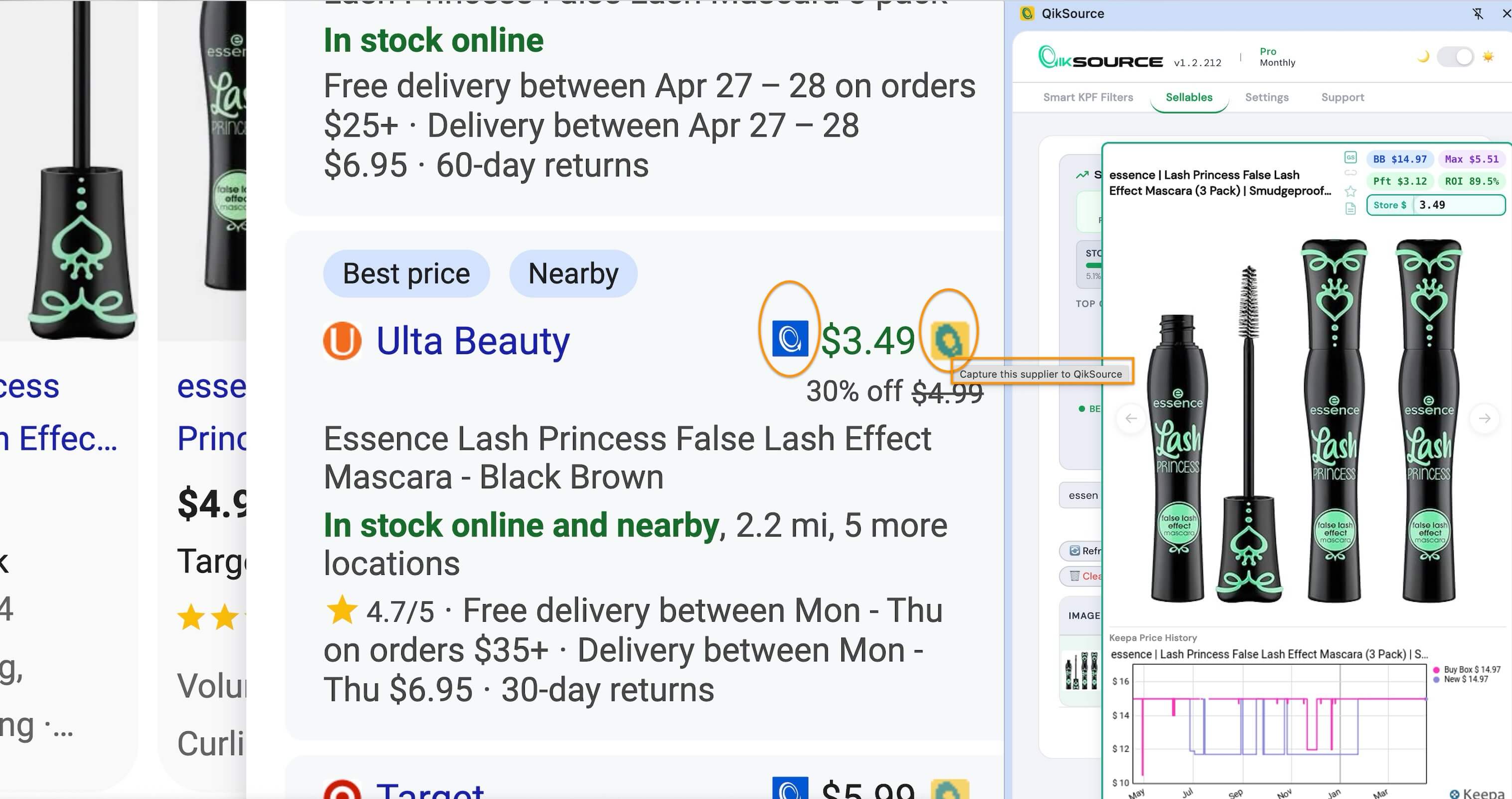
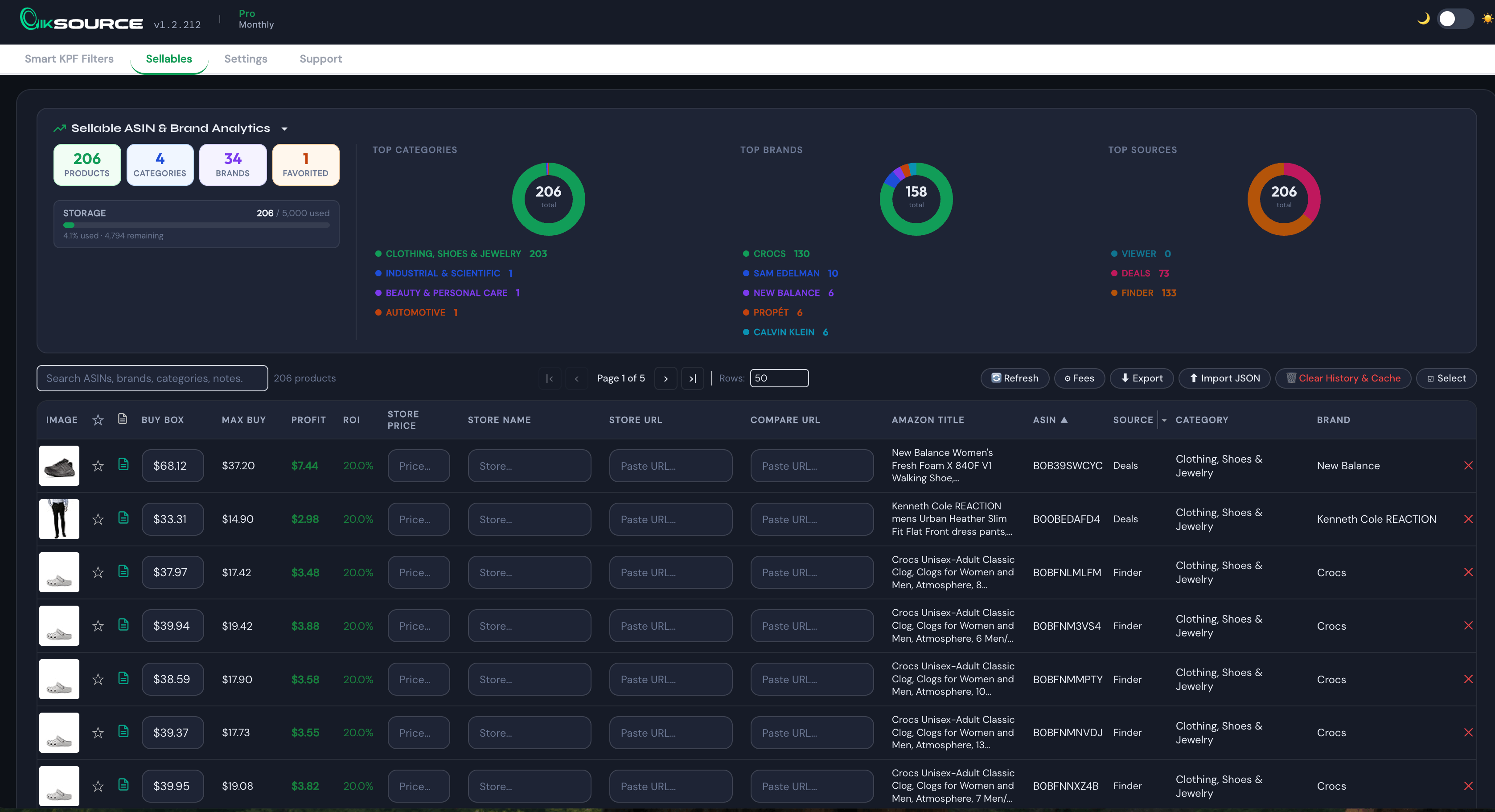
Every sellable ASIN auto-saves to your private Lead History — a catalog that grows as you work.
|
Starter
“What can I sell?”
$19 one-time
|
Scout
“Finder, no spreadsheets”
$5.75/mo
Billed $69/yr
|
Popular
Pro
“Full sourcing machine”
$11.58/mo
Billed $139/yr
|
|
|---|---|---|---|
| Get Starter | Get Scout | Get Pro | |
| Eligibility pills (sell / approval / restricted) | ✓ | ✓ | ✓ |
| Unlimited eligibility checks | ✓ | ✓ | ✓ |
| Seller Central link per ASIN | ✓ | ✓ | ✓ |
| Google Shopping side panel | — | ✓ | ✓ |
| Profit calculator (fees, margins, ROI) | — | ✓ | ✓ |
| Page scan (Auto & Manual) | — | ✓ | ✓ |
| Lead History database (searchable, sortable) | — | 500 | 5,000 |
| Star & note leads | — | ✓ | ✓ |
| CSV / JSON export | — | ✓ | ✓ |
| Dual-tab sync (Google Shopping + Amazon) New | — | — | ✓ |
| Side panel on any website New | — | — | ✓ |
| Keepa Deals integration (A2A flips) | — | — | ✓ |
| Keepa Viewer integration (wholesale UPC batches) | — | — | ✓ |
| Smart filter templates (save / load) | — | — | ✓ |
| Pinned ASIN popups | — | — | ✓ |
| Auto-capture store name, price, URL | — | — | ✓ |
| Replenish past inventory (storefront stalking on your own store) | — | — | ✓ |
| Cross-device import | — | — | ✓ |
| Custom fee templates | — | — | ✓ |
See Quincy demo QikSource from install to first profitable product — no fluff.
No Chrome Web Store, no accounts to create. Load the extension, paste your key, open Keepa.
Unzip the file. Go to chrome://extensions, turn on Developer Mode, click Load Unpacked, and select the folder.
Right-click the extension icon → Options → paste the license key from your email. One field, one click.
Log into Seller Central. Open Keepa Product Finder, Deals, or Product Viewer — QikSource activates automatically. Pills appear on every row.
1 device per license. Add more device slots anytime.

I’m an Amazon FBA seller who got tired of pasting ASINs into Seller Central one by one, juggling three tabs per lead, and losing suppliers to spreadsheet rot. QikSource is the tool I built to fix that for myself. If it works for you, great. If it doesn’t, email me — I read every message.
— Quincy Lin · Founder
Email Quincy →QikSource lives inside Keepa — it injects data into the pages you already use instead of pulling you into a separate dashboard. No new interface to learn.
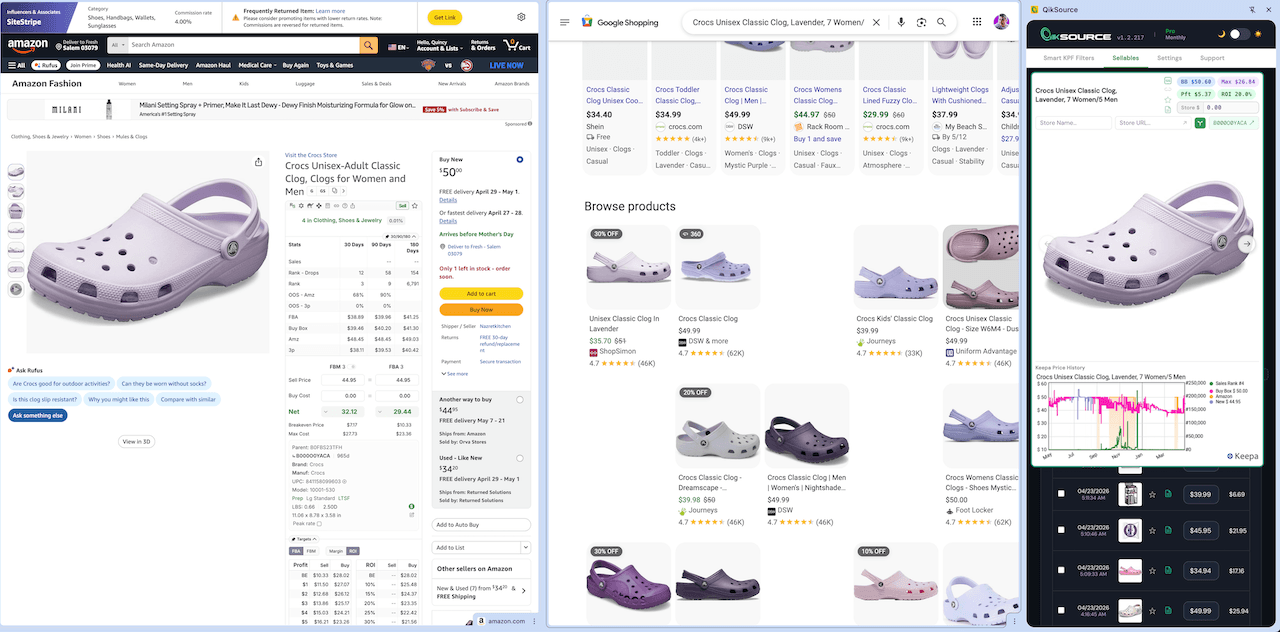
Open three things side by side in the same browser window: your Keepa page, a Google Shopping tab, and an Amazon tab. When you arrow through products in the QikSource popup, both the Google Shopping and Amazon tabs auto-update to the current ASIN — no copy-paste. Prefer to keep Google Shopping where it is? Toggle auto-update off in Settings.
Private distribution is a feature, not a workaround. Updates ship the moment they're ready — no Chrome Store review queue — and you get a direct line to Quincy, not a ticket in a black box. Public listing comes after the workflow is hardened with early users.
Yes. Buy the new plan, paste the new key. No proration — Starter is one-time, Scout/Pro are subscriptions.
Four: KPF filtering with smart templates, storefront stalking (paste any seller ID), Amazon-to-Amazon flips via Keepa Deals, and lead list upload through Keepa Viewer.
No. QikSource is a manual reverse sourcing toolkit — you do the searching, we eliminate the grunt work. The result: you find small, regional, and niche suppliers that fully automated tools routinely miss.
Yes. Each subscription activates on 1 device by default. Need more? Add additional device slots anytime for a small add-on fee.
Open the receipt email from Stripe and click "Manage subscription" — cancel there anytime. You keep access through the end of the paid period. Starter is one-time, so nothing to cancel.
Email quincy@qiksource.com or use the Support tab in the extension. You'll hear from Quincy directly.
Questions before you buy? Email Quincy directly → quincy@qiksource.com